

Comment créer, lister, supprimer ou encore supprimer une table temporaire SQL Server, quelle soit locale ou globale ?
Comment créer une table temporaire SQL Server pour, comme son nom l’indique, stocker temporairement des données. La même commande CREATE TABLE en T-SQL permet de créer les tables temporaires ou des tables normales, appelées permanentes.
Dans ce tutoriel SQL, apprenons à connaître les tables temporaires SQL Server et leur avantages. Nous verrons également comment les créer, y insérer des données, les lister et enfin les supprimer.
Table of Contents
Définitions des tables temporaires SQL Server
Une table temporaire permet de stocker des données temporaires qui utilisées uniquement pendant la durée d’une seule session. Le système supprime les tables temporaires lorsqu’une session est terminée.
Une session correspond à une connexion établie avec l’instance SQL Server. Cela peut être un onglet de requête dans SQL Server Management Studio (chaque onglet ouvre sa propre session, identifiée par un numéro SPID distinct), une connexion depuis un logiciel tiers (application .NET, Power BI, SQLCMD, etc.), ou encore une connexion via sqlcmd ou Azure Data Studio.
Il existe deux types de tables temporaires:
- Les tables temporaires locales, préfixées par un seul signe dièse # : comme dbo.#TableLocale
- Et les tables temporaires globales, préfixées avec 2 # : dbo.##TableGlobale
En effet, une table temporaire locale (#TableLocale) n’est visible que dans la session qui l’a créée et est automatiquement supprimée à la fermeture de cette session.
Une table temporaire globale (##TableGlobale) est en revanche visible par toutes les sessions et n’est supprimée que lorsque la session qui l’a créée se termine, et qu’aucune autre session ne la référence.
On peut bien sûr supprimer explicitement une table temporaire avant la fin de la session avec:
DROP TABLE #TableLocale;

DROP TABLE ##TableGlobale;
Rappel sur les tables permanentes
Une table permanente est créée lorsqu’un utilisateur la crée pour la première fois et n’est supprimée que de manière explicite. Elle reste donc dans la base de données. Elle est stockée sur le disque, et elle est sauvegardée si les sauvegardes sont actives sur la base de données du serveur.
Avantages des tables temporaires dans un projet T-SQL
Le principal objectif et avantage des tables temporaires est de stocker les ensembles de résultats intermédiaires des requêtes. Ces ensembles de résultats ne sont pas stockés sur le disque mais en mémoire.
Les tables temporaires peuvent être créées pour stocker les données d’une seule ou de plusieurs requêtes. Par exemple, vous devez créer une transformation très complexe en utilisant des données de plusieurs tables et de vues. Vous avez seulement besoin de stocker le résultat final. Mias le résultat intermédiaire facilite les étapes de calcul.
Par exemple, vous devez faire pivoter toutes les données d’une table, puis calculer une moyenne et les additionner, et enfin répartir les données à l’aide d’un ratio à différentes dates.
Il est alors plus facile d’utiliser des tables intermédiaires temporaires dans une procédure stockée longue mais codée en T-SQL en plusieurs étapes distinctes et donc plus simples.
Je recommande en effet fortement de diviser le code en étapes à l’intérieur des procédures stockées. Par exemple, une étape pour chaque résultat intermédiaire cible:
- #temp_1_pivot
- #temp_2_moyenne
- #temp_3_group_by_year
- #temp_4_ratio
Toutefois, n’utilisez pas les tables temporaires pour le stockage à long terme ou pour les données fréquemment consultées.
Gérer les tables temporaires locales SQL Server
Une procédure stockée peut créer et appeler une table temporaire locale. Dans ce cas, il est possible d’appeler la même procédure stockée en même temps sans interférence. Le moteur de base de données MS SQL distingue les tables en ajoutant un suffixe numérique à la fin du nom de la table, ce suffixe numérique est répertorié dans la table système sys.sysobjects.
Comment créer une table temporaire locale en T-SQL ?
Les tables temporaires locales sont stockées dans la base de données système tempdb sur la même instance que la base de données qui les a créées. Toutes les tables temporaires sont créées dans le schéma dbo, il est donc inutile d’indiquer un schéma spécifique. Pour créer une table temporaire locale, il suffit d’exécuter une requête comme celle-ci:
-- https://expert-only.com
-- Créer une table temporaire locale
-- avec deux colonnes
CREATE TABLE #Ventes_Temp (
   [NomMois]	nvarchar(20),
   [Montant]	numeric(8)
);
GO

-- Insérer des données pour les trois
-- premiers mois de l'année
INSERT INTO #Ventes_Temp (NomMois, Montant)
VALUES ( N'Janvier', 1000);
INSERT INTO #Ventes_Temp (NomMois, Montant)
VALUES ( N'Février', 2000);
INSERT INTO #Ventes_Temp (NomMois, Montant)
VALUES ( N'Mars', 3000);
GO

-- https://expert-only.com
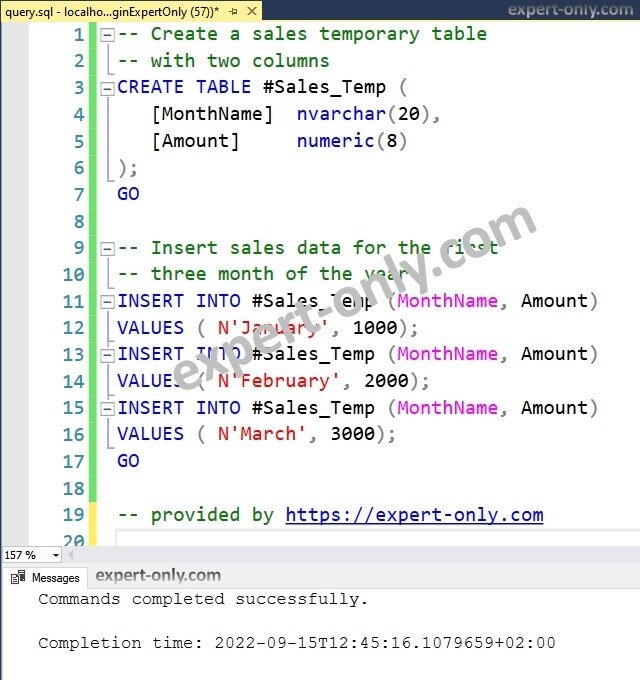
Cependant, il est également possible de créer une table temporaire en dehors d’une procédure stockée, comme dans une simple instruction T-SQL. Il existe alors un moyen d’éviter les erreurs si une procédure stockée a exactement le même nom à l’intérieur d’une procédure.
Il est recommandé de vérifier et de supprimer toute table temporaire existante dans la base de données, même si elle n’est pas permanente.
Supprimer une table SQL Server temporaire locale
Pour supprimer une table temporaire locale, utilisez la syntaxe suivante :
DROP TABLE IF EXISTS #Sales_Temp;
GO
Supprimer une table temporaire locale sur une version MS SQL avant 2016
Pour toutes les versions SQL Server avant la version 2016, c’est à dire 2008, 2012, 2014, etc., utiliser ce script :
IF OBJECT_ID('#Sales_Temp', 'U') IS NOT NULL
	DROP TABLE #Sales_Temp;
GO
Voici un autre tutoriel informatique pour gérer les tables SQL Server classiques cette fois, c’est à dire les tables permanentes.
Les tables temporaires globales
Quant aux tables temporaires globales, le système SQL (SGBD) ne supprime les tables temporaires globales qu’une fois toutes les tâches sur la table terminées.
En d’autres termes, le système ne la supprime qu’après avoir terminé la dernière requête T-SQL dans la même session qui a créé la table.
Créer une table SQL Server temporaire globale
Ce script permet de créer une table temporaire globale simple :
-- Créer une table temporaire globale
-- avec deux colonnes
CREATE TABLE ##VentesTemp_Globale (
   [NomMois]	nvarchar(20),
   [Montant]	numeric(8)
);

-- Insérer des données pour les trois
-- premiers mois de l'année
INSERT INTO ##VentesTemp_Globale (NomMois, Montant)
VALUES ( N'Janvier', 1000);
INSERT INTO ##VentesTemp_Globale (NomMois, Montant)
VALUES ( N'Février', 2000);
INSERT INTO ##VentesTemp_Globale (NomMois, Montant)
VALUES ( N'Mars', 3000);

-- fournit par https://expert-only.com
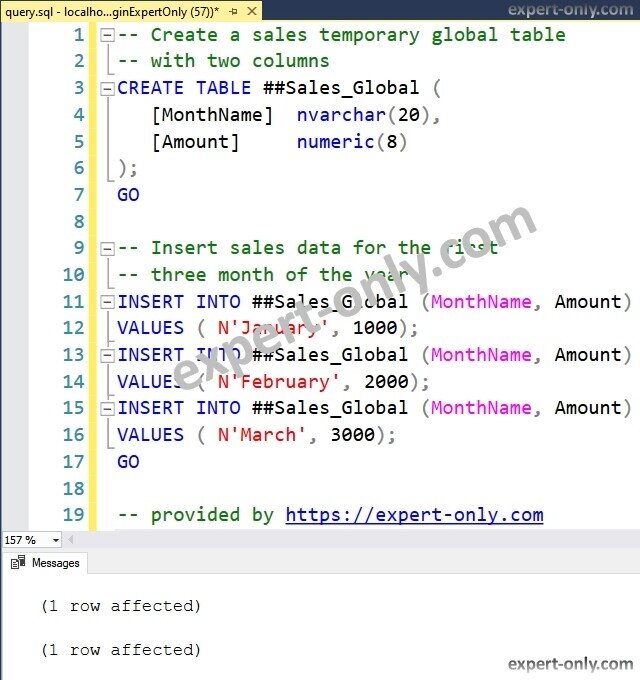
Supprimer une table temporaire globale
Utiliser donc ce script SQL pour supprimer une table temporaire globale avec une requête exécutée depuis un onglet SSMS.
DROP TABLE IF EXISTS ##Ventes_Globales;
GO
Supprimer une table temporaire globale avec une version SQL Server avant 2016
Par contre, supprimer une table temp globale avec ce script si la version est une version SQL 2008, 2012 ou encore 2014.
IF OBJECT_ID('##Ventes_Globales','U') IS NOT NULL
	DROP TABLE #Ventes_Globales;
GO
Lister toutes les tables temporaires de l’instance SQL
Premièrement, les tables temporaires sont créées dans la base système tempdb.
pour lister toutes les tables temporaires créées sur l’instance SQL Server, utiliser cette requête:
SELECT *
FROM tempdb.sys.sysobjects
WHERE [name] like '#%'
ORDER BY [name];
Deuxièmement, pour répertorier uniquement les tables temporaires locale créée sur l’instance du serveur SQL, utiliser cette instruction SQL :
-- code disponible sur https://expert-only.com/
SELECT *
FROM    tempdb.sys.sysobjects
WHERE	[name] like '#%'
AND	[name] not like '##%'
ORDER BY [name];
Enfin, pour répertorier uniquement les tables temporaires globales créée sur l’instance actuelle, exécuter ce script de sélection:
-- depuis https://expert-only.com/
SELECT *
FROM  tempdb.sys.sysobjects
WHERE [name] like '##%'
ORDER BY [name];
Avantages et limitations des tables temporaires SQL
Voici une liste courte, non exhaustive, des avantages mais aussi des inconvénients liés aux tables temporaires.
Avantages des tables temporaires
- Stocker des résultats intermédiaires lors d’opérations complexes.
- Mettre en cache les résultats d’une requête exécutée de façon répétée, pour de meilleures performances.
- Offrir un espace de travail idéal pour traiter de grandes quantités de données.
- Rester invisibles en dehors de la session qui les a créées (pour les tables temporaires locales).
- Être gérées automatiquement par le moteur de base de données.
Limitations des tables temporaires
- Les contraintes référentielles doivent donc être gérées par la logique applicative si nécessaire. Si le script de création en contient une, l’exécution n’échoue pas, mais la clé n’est pas créée.
- Les clés étrangères ne sont pas prises en charge.
- Leur durée de vie est limitée à la session (ou à la connexion), elles disparaissent à sa fermeture.
- Elles sont créées dans tempdb, ce qui peut générer de la contention sur cette base partagée en cas d’usage intensif.
- Les statistiques et plans d’exécution ne sont pas toujours réutilisés efficacement, ce qui peut nuire aux performances dans les procédures stockées.
Ce tutoriel sur les tables temporaires locales et globales, explique donc comment gérer ce type particulièrement pratique dans les développements complexes. Voici un autre tutoriel pour lister toutes les tables d’une base de données SQL Server.


Soyez le premier à commenter