
Tutoriels pour apprendre l’intégration de données avec l’ETL SSIS, abréviation de SQL Server Integration Services.
Tutoriels sur SSIS, l’outil d’intégration de données Microsoft, qui est un ETL complet et parmi les leaders sur le marché BI depuis quelques années. Ces tutoriels SSIS en Français sur l’outil ETL de Microsoft permettent d’apprendre les bases pour créer et utiliser des packages. Integration Services est un module de la suite SQL Server qui permet de nombreuses opérations ETL sur les données comme entre autres : le chargement de fichiers plats, de fichiers Excel, de fichiers XML. Il permet aussi de charger des données d’une base de données vers une autre, via des packages DTSX.
Premièrement, le développement des packages SSIS se fait avec Visual Studio, la dernière version est la version 2019. Il faut installer l’outil SQL Server Data Tools pour développer les projets Integration Services. Toutefois, en pratique les packages SSIS sont des fichiers au format XML avec une extension dtsx. Ces tutoriels SSIS en Français sont des cours en ligne avec une approche très pratique, pour apprendre la technologie Microsoft BI pas à pas et par l’exemple.
En effet, le site de formation Expert-Only.com met à disposition cette formation 100% en ligne et gratuite sur SSIS. Pour les étudiants ou les débutants en informatique décisionnelle. Mais aussi pour les ingénieurs et consultants souhaitant étendre leurs compétences en décisionnel avec les outils Microsoft BI. SSIS constitue donc une brique importante, celle de l’intégration de la suite MS BI avec SSAS, SSRS et Power BI.
Table of Contents
Qu’est-ce que l’ETL SSIS ?
SSIS est un outil de chargement de données qui peut être utilisé pour migrer des données d’un emplacement à un autre. SSIS est un outil très puissant et flexible qui peut être utilisé à de nombreuses fins différentes.
L’objectif principal de SSIS est de charger des données dans une base de données, ou de les transférer d’une source de données à une autre. Ici, nous utilisons la base de données SQL Server comme cible. Il peut également extraire, transformer et charger des données à partir d’autres sources telles que des fichiers plats, des fichiers CSV, des fichiers Excel, etc.
Il peut également être utilisé pour des tâches telles que la sauvegarde de données, la copie de données d’une base de données à une autre ou l’archivage de journaux. Techniquement, il s’agit d’une fonctionnalité de SQL Server qui aide à automatiser le processus de déplacement des données d’un système à un autre.
SSIS fait parti de la suite Microsoft BI
SSIS fait partie de la suite Microsoft Business Intelligence (MS BI) composée des trois briques SSIS, SSAS et SSRS. Trois briques logicielles auxquelles on peut rajouter Power BI Desktop et Power BI Serveur ou Premium.
SSIS↗
Les articles sur les packages Integration Services.
SSAS↗
Astuces sur les cubes OLAP Analysis Services.
SSRS↗
Articles sur les rapports Reporting Services.
Et l’outil de Reporting Power BI.
C’est un outil puissant pour les processus ETL car il offre une gamme étendue d’options pour gérer de grandes quantités de données et il prend en charge tous les types de connexions SQL Server, y compris OLE DB, ODBC, ADO.NET et Oracle Data Source Administrator (ODBA), entre autres.
Les tutoriels sont basés sur une ancienne version de SQL Server et sont mis à jour progressivement vers les dernières versions de MS SQL. La version actuelle est Microsoft SQL Server 2019. Ils sont donc classés par thèmes.
1. Mettre en place l’environnement de développement SSIS
Avant tout, pour découvrir l’intégration de données et développer son premier projet, commencer par installer l’environnement de développement Microsoft SQL Server BI. Voici les logiciels nécessaires:
- Télécharger et installer Visual Studio 2019 avec l’extension des projets SSIS
- Télécharger et installer QL Server Management Studio 18 (SSMS)
- Télécharger et installer SQL Server 2019 édition développeur
Si nécessaire, par exemple si on rencontre des erreurs de mise à jour ou des bugs pendant le développement avec Visual Studio, alors il est préférable de désinstaller l’extension SSIS:
2. Démarrer le développement de packages SSIS simples
Créer ensuite des flux de contrôle et des flux de données simples pour apprendre à manipuler les données et les fichiers avec SSIS.
- Créer une solution, un projet et un package SSIS avec Visual Studio 2019
- Créer une connexion à une base de données SQL Server
3. Les flux de contrôle et les flux de données SSIS
4. Importer et exporter des fichiers plats avec SSIS
Cette partie concerne l’import et l’export de fichiers plats, c’est à dire des sources externes avec des extensions CSV ou TXT par exemple.
- Importer un fichier CSV dans une base de données SQL Server
- Charger plusieurs fichiers textes dans une base SQL avec une boucle SSIS
- Exporter les données depuis table SQL Server vers un fichier CSV avec SSIS
5. Importer et exporter des données Excel avec SSIS
- Télécharger, installer et utiliser les pilotes Excel pour SSIS (Access Database Engine 2016)
- Construire une chaine de connection Excel OLE DB pour importer un fichier Excel
- Importer un fichier Excel dans une table SQL Server avec SSIS
- Exporter le contenu d’une table SQL dans un fichier Excel
- Gérer le type de données des tableaux Excel
- Importer des plages spécifiques de cellules Excel dans une table SQL
- Ignorer les premières lignes d’un fichier Excel avec SSIS
6. Importer et exporter des documents XML avec un package
Les cours de cette section portent sur l’import de données depuis des documents XML vers SQL Server. Mais aussi depuis des tables SQL avec des colonnes XML vers des fichiers au format XML.
- Importer un document au format XML dans une table avec SSIS
- Exporter une table SQL Server dans un fichier au format XML
7. Compresser et décompresser des fichiers et des dossiers avec SSIS
8. Transformer les données avec des packages SSIS
Cette partie porte sur le cœur de l’ETL, c’est à dire la transformation de données dans le flux de données SSIS, avec les composants de transformations SSIS.
- Faire pivoter les lignes en colonnes avec SSIS PIVOT
- Transformer les colonnes en lignes avec SSIS UNPIVOT
- Agréger les données d’une table SQL Server dans un flux de données
- Grouper plusieurs tables avec SSIS et le composant Union All
- Compter le nombre de lignes distinctes dans un flux de données SSIS
- Ajouter une pause avec un script T-SQL dans un package SSIS
9. Exécuter, automatiser et planifier les packages SSIS
De plus, voici comment exécuter, déployer et gérer des packages SSIS. Bien sûr la liste n’est pas exhaustive et il existe de nombreuses autres approches et méthodes pour gérer efficacement des packages.
- Activer et configurer la log SSIS pour la stocker dans la table sysssislog
- Exécuter un package SSIS en ligne de commande avec DTExec.
- Planifier et exécuter des packages SSIS avec l’Agent SQL Server.
- Utiliser les bonnes pratiques SSIS pour mieux gérer les packages.
- Editer un fichier de configuration DTSConfig manuellement.
- Gérer et déployer les packages en ligne de commande MS-DOS avec DTUTIL.
- Exécuter plusieurs processus SSIS en parallèle pour importer des volumes importants de données.
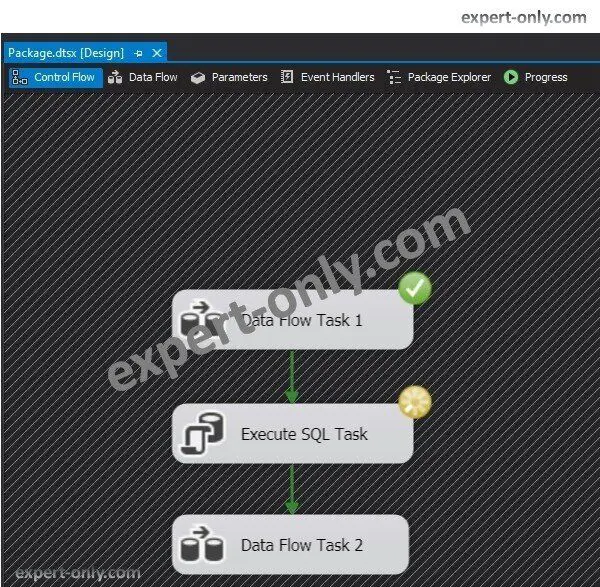
10. Autres possibilités offertes par SSIS
Il est aussi possible avec SSIS d’effectuer de nombreuses autres opérations.
- Synchroniser automatiquement les colonnes SSIS dans un flux de données.
- Liste de toutes les erreurs SSIS.
- Alternatives possibles au composant SSIS dimension à variation lente.
Pour conclure, ces tutoriels SSIS proposés en Français constituent un début intéressant. Et aussi pratique pour les opérations de chargement de données et de gestion des packages.
Vos remarques sont les bienvenues, notamment sur la qualité du contenu et les sujets abordés: https://expert-only.com/contact/

